Create a series of tiny planets using panorama images and photoshop. Min 3 images and reflection.

Step 1: Step 1: File>Open
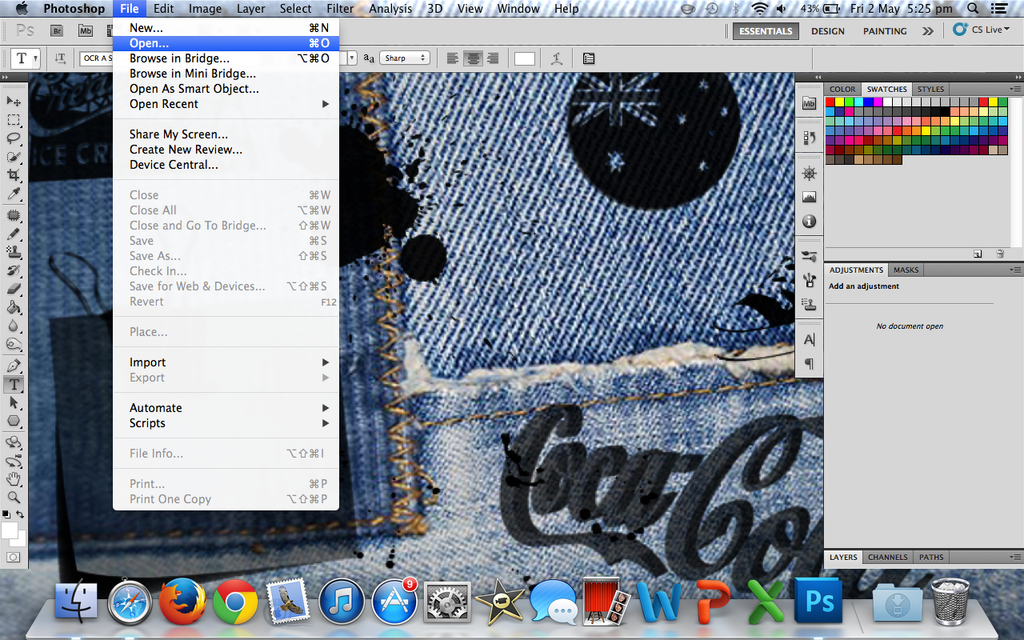
Insert a panorama into photoshop by clicking File>Open. The final result is better if you use a 360˙ image but a wide angle or smaller panorama works too. Your image can be your own or one off the internet.
Step 2: Step 2: Image Size

After that, click Image>Image Size. Now unselect the ‘Constrain Proportions’ box and change the height of the image to the same as the width.
Step 3: Step 3: Image Rotation

Now go to Image>Image Rotation>180˙. Your image should now look similar to this ^
Step 4: Step 4: Polar Coordinates

Finally go to Filter>Distort>Polar Coordinates. Tick the Rectangular to Polar box and click ok.
Step 5: Step 5: Finished!
Congratulations! You have successfully completed the tutorial! Feel free to tweak and adjust your final image! There are endless possibilities to this effect so what are you waiting for? Go and create!
Suggested template for reflection:
- What did you learn from this task? (Use “I can…” as a sentence starter)
- What did you like about this task?
- What was difficult? (Use “I am struggling with…” as a sentence starter)
- How did you solve problems?
- Is your image successful, if so, why?
- What adjustments (edits) did you do to your image? (include before and after and camera settings if available)
- What else could you change if you had more time or resources?
 Photography with Tiffany