Probably want to do more than stare at a blank screen, right?
How to turn it ON/OFF
If you come in and the
Mac is not on, there is a
button on the back that
you push to turn it on.
To manually restart the
Mac you HOLD it down until the screen turns
off.
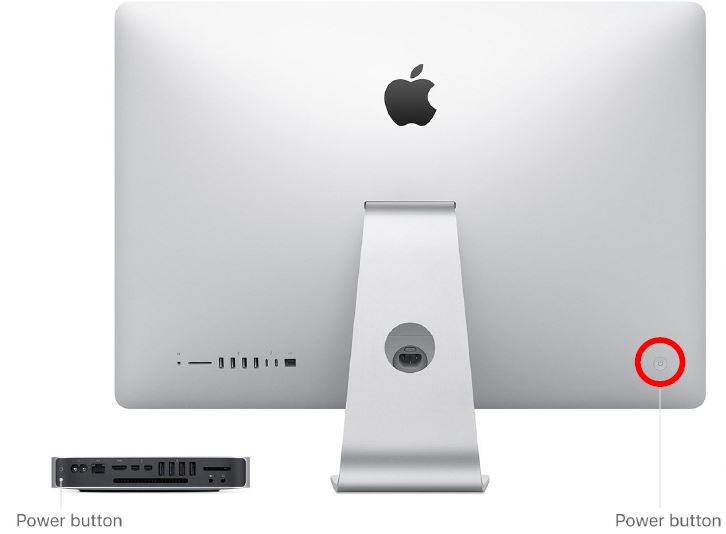
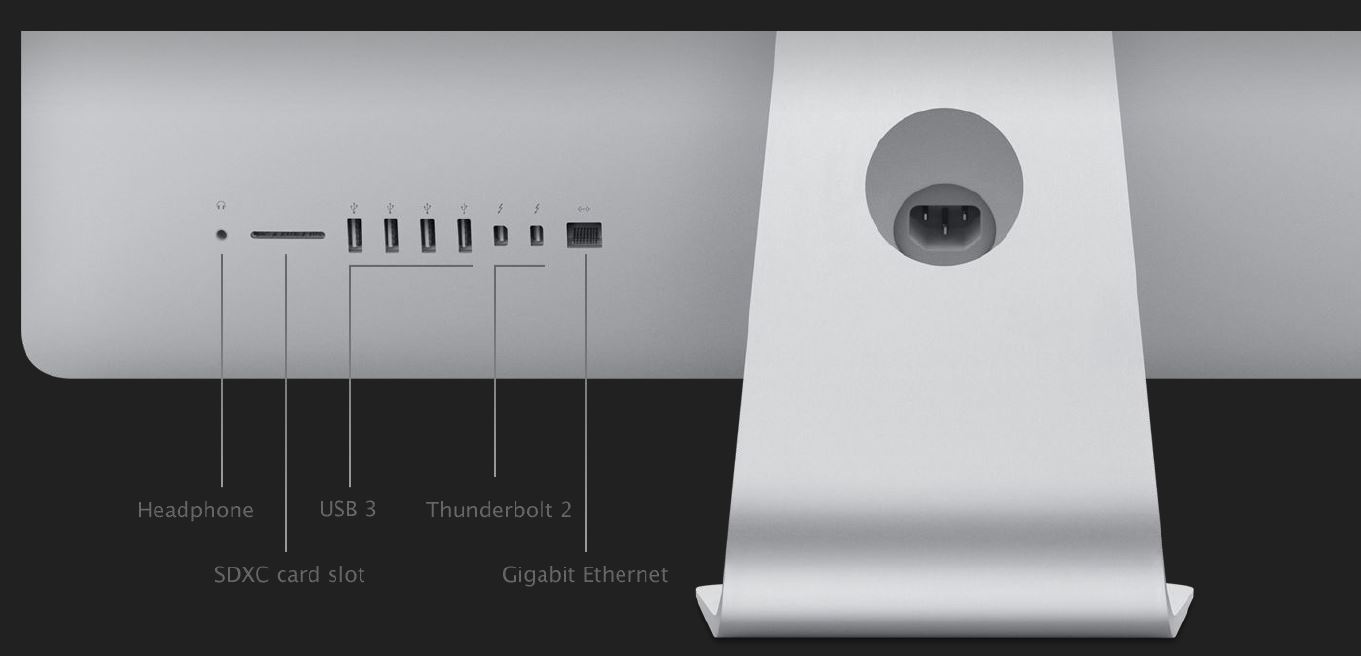
The back of the computer
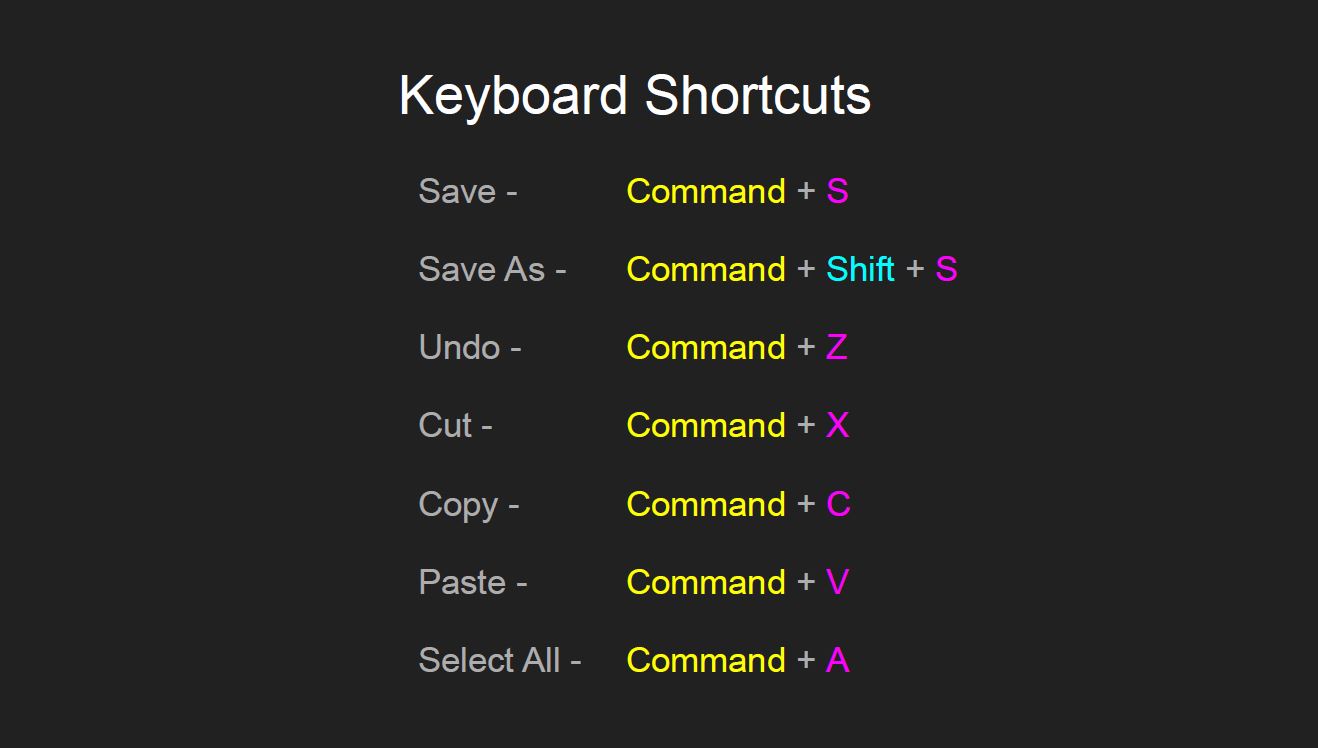
Shortcuts
How to screenshot
Command/Windows key + Shift + 4 – then drag the box over the area you want, it will save as a JPEG to the desktop.
File organisation
As these MACS are used by many students you need to create a folder in your student drive (not the desktop) called “photography” as you need to add photos for a new task: create a new folder in this folder with the name of the task.
I recommend also backing up this folder as you finish tasks and saving the final images to a similarly named folder in your Google Drive.
 Photography with Tiffany